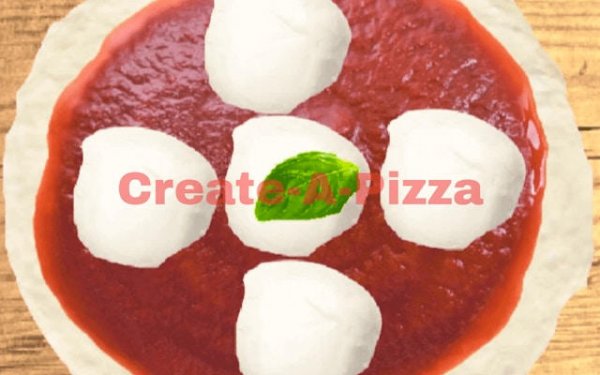
Chef's Canvas: Pizza Studio succeeds by removing everything that makes other games stressful. No timers, no scores, no fail states—just a clean virtual kitchen and a generous selection of ingredients. The drag-and-drop controls feel natural, and the baking animation provides a satisfying finish. It is an excellent choice for young children learning mouse skills, adults seeking a brief mental break, or families looking for a shared screen activity. The only limitation is the lack of a save feature, but screenshots fill that gap easily.
Chef's Canvas: Pizza Studio removes the pressure of timers and scoring systems. Players step into a digital kitchen designed for unhurried experimentation. The focus rests entirely on personal expression through food. You decide every element of your pizza, from the foundation to the final garnish. This approach makes the experience accessible to beginners while offering depth for those who enjoy detailed customization. The virtual environment encourages trial and error without penalty, fostering a sense of ownership over each creation.
The process begins with selecting a crust style. Options may include classic, thin, or stuffed variations. Next, you choose a sauce to spread across the base. Tomato, alfredo, and barbecue are typical choices. The main event involves adding toppings from a virtual pantry. Ingredients such as pepperoni, mushrooms, bell peppers, onions, olives, and pineapple are available. You drag and drop each item onto the pizza, arranging them in patterns or clusters as you see fit. Once assembled, the pizza enters an oven for a baking animation. The final step lets you view your completed work and share it with others.
The game presents a clean, inviting interface that suits players of all ages. Bright colors and clear icons make navigation intuitive. The baking animation adds a satisfying visual payoff, transforming raw ingredients into a finished pizza. Sound effects complement the actions without becoming distracting. The overall aesthetic supports the relaxing tone, ensuring that each session feels like a calm creative break rather than a competitive challenge.
Chef's Canvas: Pizza Studio deliberately avoids elements that might cause stress or confusion. There are no complex rules, hidden mechanics, or time constraints. This design makes the game suitable for young children, older adults, and everyone in between. Parents can feel confident letting kids explore the kitchen freely. The game also works well as a shared activity, where family members gather around a screen to design pizzas together and discuss their choices.
With multiple crust types, several sauce options, and a wide array of toppings, the number of possible pizza combinations is substantial. Players can recreate favorite real-world pizzas or invent entirely new flavor profiles. The lack of scoring means there is no wrong way to build a pizza. Some users may focus on symmetrical arrangements, while others pile on ingredients for a loaded effect. This flexibility ensures that no two play sessions need to feel the same.
After baking, players have the option to share their creations with friends or family. This social element extends the experience beyond the screen. Sharing can spark conversations about food preferences, inspire others to try new combinations, or simply provide a moment of pride in a job well done. The game thus becomes a bridge between digital creativity and real-world interaction.









Comments
0 comments