Beat Bugs Coloring offers a straightforward and enjoyable coloring experience for children. The eight images provide enough variety to keep kids engaged, and the color palette is easy to use. The ability to save and print artwork adds value, allowing children to share their creations. The game is calm and non-competitive, making it a good choice for quiet play or family time. It is a reliable and family-friendly activity that supports creativity without overwhelming young users.
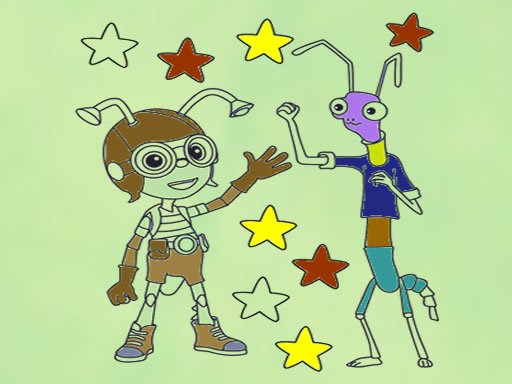
Beat Bugs Coloring is a free online puzzle coloring game that brings the charming characters from the Beat Bugs cartoon to life. Players can choose from eight different images, each featuring a favorite bug from the show. The game offers a simple color palette on the right side of the screen, allowing you to select any shade and apply it to the image. You can color the characters exactly as they appear or invent new color combinations to create a unique look. Once you finish, you can save your artwork to your device and print it later. This game is designed for children and families, providing a calm and creative activity that encourages artistic expression. With no time limits or complex rules, it is easy to start and enjoy at any moment.
To play Beat Bugs Coloring, begin by selecting one of the eight available images of Beat Bugs characters. On the right side of the game screen, you will see a palette of colors. Click on a color to select it, then click on the area of the image you want to color. You can use different colors to match the character's original look or create a new style by mixing and matching shades. The game allows you to color freely, so feel free to experiment with different combinations. Once you are happy with your artwork, you can save the image to your device and print it later if you wish. The controls are intuitive and easy to use, making it a great activity for kids to enjoy independently or with friends.
Beat Bugs Coloring offers eight unique images featuring popular Beat Bugs characters. The game includes a simple color palette with a variety of shades to choose from. Players can save their completed artwork to their device and print it for display or sharing. The interface is clean and easy to navigate, with no ads or distractions. The game is free to play and requires no downloads or registration.
Beat Bugs Coloring provides a relaxing and creative experience for children and families. The simple controls and familiar characters make it easy to start playing right away. It encourages artistic exploration without pressure, making it a great way to unwind. You can share your finished pictures with family and friends, adding a personal touch to your playtime.